











Employee Time Clock Software & Kiosks
Track Time Accurately Across Devices, Locations, and Teams
Paycor offers a range of time clock solutions to meet the needs of businesses of all sizes and industries. From simple, durable hardware to flexible, mobile options, we have the perfect fit for your workforce.
Choose the Right Time Clock for Your Workforce
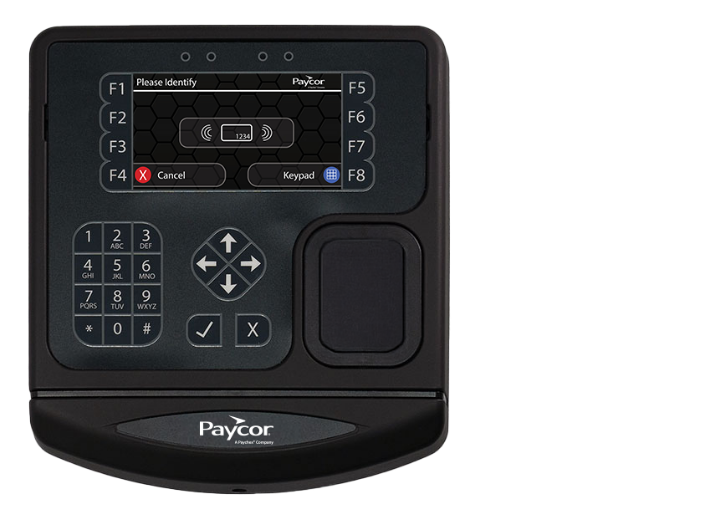
PT300 Physical Time Punch Clock
PT300 offers the key features necessary to capture employee punches at the clock. It’s intuitive and configurable with menu-driven applications. It has a durable membrane keypad and a robust casing designed to handle the toughest environments. It offers HID and finger template reader functionality, as well as the ability to restrict punches during certain hours.
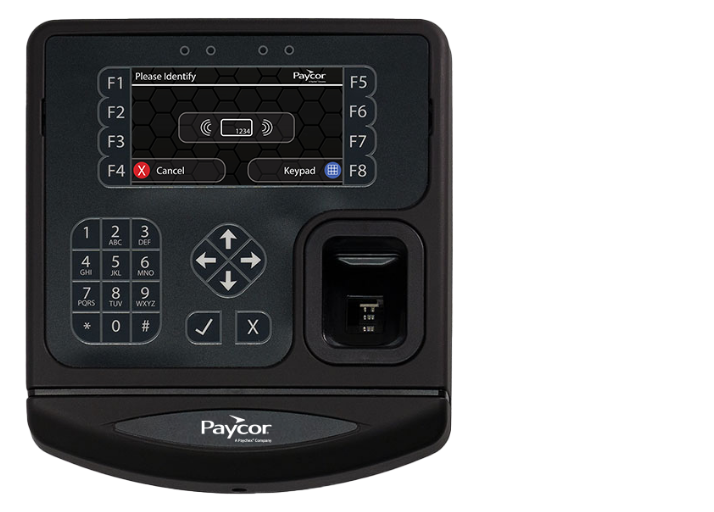
PT400 Badge & PIN Time Clock
Paycor’s PT400 connects to badge readers for proximity cards. It’s intuitive and has configurable menu-driven applications. It’s also durable, with a robust casing designed to handle various environments.
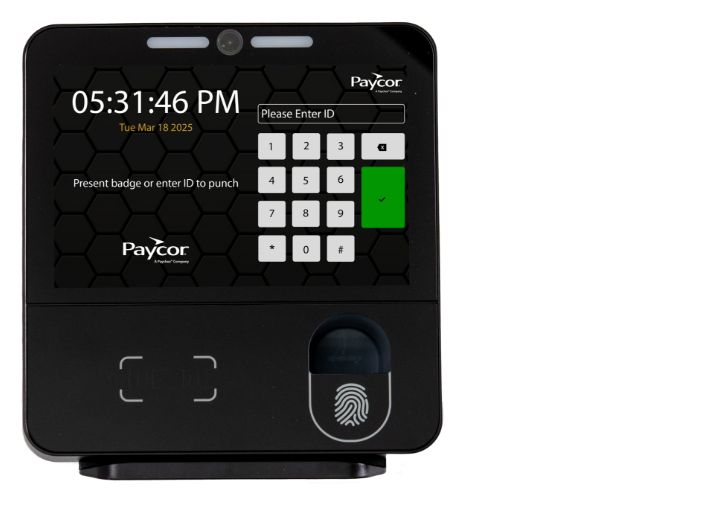
PT800 Biometric Time Clock
The PT800 uses the latest facial template recognition technology to quickly identify employees for touchless time and hour entry, while maximizing employee self-service and reporting capabilities on an easy-to-read 8” high-resolution display. Employees can submit time-off requests, provide meal attestation, and enter missed punches.
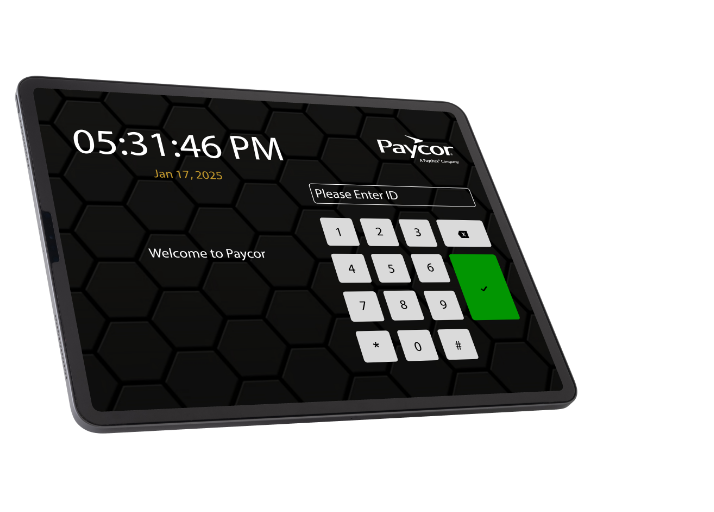
Paycor Time Mobile Clock
The Paycor Time Mobile Clock is a powerful, mobile alternative or supplement to traditional fixed time clocks for the mobile workforce. It turns your existing Android or IOS Tablet into a complete time-tracking and employee self-service solution, empowering your workforce and streamlining your operations.
Paycor Mobile Time Clock
The Paycor Time Mobile Clock is a powerful, mobile alternative or supplement to traditional fixed time clocks for the mobile workforce. It turns your existing Android or IOS tablet into a complete time-tracking and employee self-service solution, empowering your workforce and streamlining your operations.
Compare Time Clock Features Across Devices
| Feature | PT300 | PT400 | PT800 | Paycor Time Mobile Clock |
|---|---|---|---|---|
| Badge/Pin Entry | x | x | x | x |
| Facial Template Recognition | x | x | ||
| Fingerprint Template Entry (Optional) | x | x | x | |
| Temperature Scanner (Optional) | x | |||
| Badge Reader (Only 1 Can Be Selected Per Clock) | ||||
| Bar Code | x | x | ||
| Facial Template Recognition | x | x | ||
| Magnetic Strip | x | x | ||
| Proximity Card (Mango) | x | x | ||
| Proximity Card (HD) | x | x | x | |
| Connectivity | ||||
| Ethernet | x | x | x | |
| Wifi | x | x | x | x |
| iPad 17 | x | |||
| Android 11 | x | |||
| Functionality | ||||
| Add Pay Items (tips, miles, etc.) | x | x | x | x |
| Department Transfer | x | x | x | x |
| Meal Attestation | x | x | x | |
| Custom Attestation | x | x | x | |
| Labor Code Transfer | x | x | x | x |
| Punch In/Out | x | x | x | x |
| Punch Restriction | x | x | x | x |
| Request Time Off | x | x | x | |
| Submit Missed Punch Request | x | x | x | |
| Time Card Approval | x | x | x | |
| View Recent Punches | x | x | x | x |
Paycor Time Clock Software FAQs
What is a time clock kiosk?
A time clock kiosk is a tablet or dedicated device mounted at a worksite that allows employees to clock in and out in a centralized location.
Do businesses need physical time clocks, or can employees clock in digitally?
It depends on your workforce. Physical time clocks like the PT300, PT400, and PT800 are a great fit for businesses where employees work on-site and in-person accountability matters.
For companies with remote, hybrid, or field-based workers, Paycor also supports digital clock-in via the mobile app, web browser, and kiosk app giving you the flexibility to mix and match methods based on your team’s needs.
Can employees clock in from different locations or devices?
Yes. Paycor supports clock-in from physical time clocks, mobile devices, tablets, and web browsers so employees can punch in wherever they work.
For mobile and remote employees, administrators can set precise geofencing boundaries to ensure employees are clocking in at or near the correct work location. Managers can also submit group punches from a mobile device, which is especially useful for field teams in construction, manufacturing, and restaurant settings.
How do time clocks help prevent time theft and buddy punching?
Paycor’s time clock solutions use biometric verification, including facial recognition and finger template readers, to confirm that the person clocking in is the employee assigned to that shift. This eliminates buddy punching, where one employee clocks in on behalf of another.
For mobile workers, geofencing adds another layer of protection by validating punch location. Proactive alerts also flag errors and discrepancies in real time, so managers can catch issues before they affect payroll.
Can Paycor’s time clock software support multiple locations or job sites?
Yes. Paycor’s time and attendance software is built to manage employees across multiple locations, departments, and job sites from a single system. Employees can clock in and out for specific labor codes to accurately track hours by location or cost center, and managers get real-time visibility into labor data across all sites.
How does Paycor help ensure accurate time data before payroll runs?
Paycor provides a centralized timecard review dashboard where managers can view, identify, and resolve discrepancies before payroll processes. Proactive alerts notify administrators of errors like missed punches or unapproved overtime in real time, so nothing slips through. Because time and attendance data flows directly into Paycor’s payroll system, there’s no manual data re-entry and no risk of hours getting lost in translation between systems.
Does Paycor’s time clock software integrate with other HR software systems?
Yes. Paycor Time is part of Paycor’s unified HCM platform, which means it integrates natively with payroll, HR management, scheduling, and talent management all in one system with a single source of employee data. For businesses using third-party tools, Paycor also offers an integration marketplace with hundreds of pre-built connectors and 140+ APIs, making it straightforward to connect with the systems your organization already relies on.