










What ACA Compliance Requires from Employers
The Affordable Care Act (ACA) gave employers a new set of requirements to follow when it comes to offering health insurance coverage and annual compliance filings. Those requirements vary based on the size of the employer.
Missing even small details when it comes to coverage offerings, affordability standards, and reporting carries large financial risk in the way of IRS penalties.
Read on to learn what ACA compliance requires, who it applies to, and how to avoid costly mistakes. Then, use our free downloadable compliance checklist to ensure your ACA obligation bases are covered.
Who Must Comply: Determining Your ACA Obligations by Employer Size
The IRS classifies employers as either an Applicable Large Employer (ALE) or a smaller employer, and compliance obligations vary based on the distinction.
You’re considered an ALE if you employed an average of 50 or more full-time employees, including full-time equivalents (FTEs), during the prior calendar year. ALEs are the only employers subject to the ACA’s employer mandate, meaning they must offer affordable, minimum-value coverage to full-time employees or risk a penalty. ALEs are required to file Forms 1094-C and 1095-C with the IRS each year.
If you employ fewer than 50 FTEs, you’re not an ALE. That means you’re not subject to the employer mandate and you won’t owe an employer shared responsibility payment for failing to offer health insurance coverage. Small employers that sponsor a self-insured health plan still have some reporting obligations (typically on Form 1095-B rather than 1095-C).
How to Calculate Full-Time Equivalent Employees
The IRS uses a specific formula to convert part-time hours into FTEs:
- Add up the total hours worked by all part-time employees in a given month.
- Divide that total by 120.
- Add the result to your full-time headcount for that month.
A business with 35 full-time employees may still be classified as an ALE based on their part-time headcount. For example, if the company employs 40 part-timers each averaging 60 hours of work per month, the calculation looks like this:
Part-time hours: 40 employees x 60 hours = 2,400 hours
FTE conversion: 2,400 / 120 = 20 FTEs
Total: 35 full-time + 20 FTEs = 55
This calculation should be completed monthly and then averaged across the prior calendar year to determine ALE status for the current year.
Core Requirements for ALEs
ALE obligations include:
- Offering coverage to your full-time workforce
- Ensuring coverage clears the IRS’s value and affordability requirements
- Reporting accurately on what you offer
- Keeping the documentation to back it all up
Minimum Essential Coverage and Minimum Value Requirements
Minimum Essential Coverage (MEC), or qualifying health coverage, is any health insurance plan that meets the basic standards required by the ACA. MEC must be offered to at least 95% of full-time employees. Most standard health insurance plans qualify as MEC, including job-sponsored plans and marketplace plans. Limited plans, such as vision-only or dental-only insurance or discount plans, do not qualify as minimum essential coverage.
Any plan you offer also has to clear the minimum value test. According to the IRS, a plan provides minimum value if it covers at least 60% of the total allowed cost of benefits that are expected to be incurred under the plan. Employers typically confirm this using a minimum value calculator tool or an actuarial certification from their carrier or plan administrator.
Affordability: How to Know If Your Plan Qualifies
Affordability is a separate test from minimum value. Under the ACA, the employee-only premium for your lowest-cost MEC plan can’t exceed the IRS affordability threshold, which represents the maximum share of an employee’s household income their required contribution can consume before that coverage counts as “unaffordable.”
The IRS resets the affordability percentage every year. For 2026, it’s 9.96%, up from 9.02% in 2025. Because employers don’t know their employees’ household income, the IRS allows employers to use three affordability safe harbors to measure affordability using data they already have.
- W-2 wages: Based on the employee’s Box 1 wages for the year
- Rate of pay: Hourly rate x 130 hours per month (or monthly salary for salaried employees)
- Federal poverty line: A fixed dollar amount tied to the federal poverty guidelines
If a plan is affordable under any of those three methods, the employer is safe from IRS penalties. The federal poverty line safe harbor is the most common method used by employers because it creates one fixed, uniform maximum premium across the entire company.
ACA Reporting Requirements and Deadlines
The IRS requires ALEs to file two related forms each year:
- Form 1094-C: This transmittal form is the cover sheet for your filing. It summarizes your full-time employee counts by month, confirms whether you offered MEC to at least 95% of your full-time workforce, and identifies any related employers you’re grouped with under IRS aggregation rules.
- Form 1095-C: This is the individual statement, meaning you complete one per full-time employee and per enrolled part-time employee if you’re self-insured. The form documents what coverage was offered each month, the employee’s share of the lowest-cost premium, and which affordability safe harbor applies.
Historically, employers also had to automatically furnish a copy of the 1095-C to each employee. That furnishing requirement changed under the Paperwork Burden Reduction Act, signed into law in December 2024. Employers can now post a clear, plain-language notice on a company website or benefits portal telling employees how to request a copy. The notice must be posted by the date the form would otherwise be due and stay posted through October 15 of the following year. Some states with their own individual mandate reporting rules still require delivery to employees directly.
Employee statements are due by January 31, though the IRS has extended this by an automatic 30 days in recent years, effectively pushing the deadline into early March. Paper filing with the IRS is due February 28 (or the next business day if that falls on a weekend), and electronic filing is due March 31. Electronic filing is mandatory once you file 10 or more returns in a calendar year. For a closer look at what goes on each line of the forms, see our full ACA reporting guide.
W-2 Reporting for Employer-Sponsored Coverage
The ACA requires employers who filed 250 or more W-2s in the prior year to report the total cost of employer-sponsored group health coverage on Box 12 of the W-2 using Code DD, which is the combined employer and employee share.
ACA Penalties: What Employers Pay When They Miss Requirements
Missing any of the requirements above exposes you to an Employer Shared Responsibility Payment (ESRP), sometimes called the “pay or play” penalty.
Penalty A applies if you fail to offer MEC to at least 95% of your full-time employees (and their dependents) and at least one full-time employee receives a premium tax credit through the Marketplace. For 2026, this penalty is $3,340 per year calculated across your entire full-time headcount minus the first 30 employees.
Penalty B applies when you do offer coverage to substantially all full-time employees, but that coverage is either unaffordable or fails the minimum value test for one or more employees who go on to receive a premium tax credit. For 2026, Penalty B is $5,010 per year ($417.50 per month), but only for the employees who received the subsidy. In most cases, this makes Penalty B less costly in total than Penalty A, even though the per-employee dollar amount is higher.
Both amounts are indexed for inflation and typically rise annually.
Common ACA Compliance Mistakes and How to Avoid Them
A handful of errors account for most of the IRS penalty notices employers receive. They include:
- Miscounting FTEs: Forgetting to include part-time hours in the FTE calculation, or using an inconsistent method month to month, can push a business over the 50-FTE threshold without anyone noticing until it’s too late.
- Using the wrong affordability safe harbor: Applying the rate of pay safe harbor to an employee whose actual pay varies can produce a different affordability result than the federal poverty line method. Choosing wrong can turn an otherwise affordable plan into a penalty risk.
- Missing the 95% offer threshold: A handful of overlooked new hires or misclassified employees is often the difference between compliance and full Penalty A exposure.
- Late or incorrect 1095-C filing: Even accurate data filed after the deadline, or filed with mismatched codes between the 1094-C and 1095-C, can trigger separate penalty notices apart from the ESRP.
Most of these mistakes trace back to tracking eligibility, hours, and offers manually across spreadsheets that don’t talk to payroll or benefits systems. Automated HCM and payroll platforms close that gap by tracking eligibility in real time as hours and enrollment change, generating 1094-C and 1095-C forms directly from the data you’re already collecting, and flagging threshold breaches before a deadline hits.
How Paycor Simplifies ACA Compliance
Paycor’s ACA reporting software automates 1094-C and 1095-C preparation and files directly with the IRS, so you’re not manually building forms from scratch each January. The integrated solution works with your employee and payroll data in real time to track employee eligibility and avoid penalties. Built-in validation and audit-ready reporting keeps you compliant.
Paycor connects payroll, benefits, and HR data in one platform to provide a single source of truth for every data point the IRS requires.
Download Your Free ACA Compliance Checklist
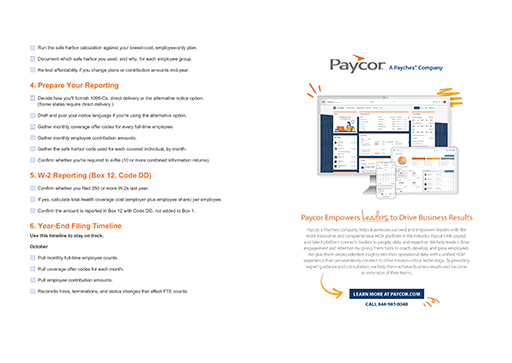
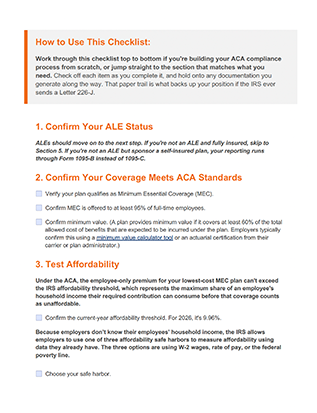
Use Paycor’s year-end ACA compliance checklist to meet ALE requirements, hit reporting deadlines, and avoid IRS penalties.