











Welcome to Change Management Hub: Your Blueprint for Success
Implementing a new HCM system is more than just a technology change—it’s an organizational shift that affects every employee, manager, and process. This toolkit is designed to be your strategic companion throughout your entire Paycor journey.
Here you’ll find everything you need in one centralized hub. Our goal is simple: to empower you with the knowledge, tools, and confidence to lead your organization through this change successfully and help ensure widespread adoption and long-term value from your Paycor investment.
Everything You Need for a Successful Implementation…and More
This is the place for quick access to key resources, tools, and expert guidance throughout your journey.

Project Kick-off & Data Discovery
Meet your implementation team and discuss what to expect from your Paycor Implementation.

Data Extraction Call
Gather current system data and build the reports that Paycor requires for configuration.

Discovery Review for Core Products
Gather the information needed to configure your Paycor database according to your specific needs.

Weekly Status Updates
Stay up to date every week on overall project status and health.

Second Full Data Extraction
Pull new data reports to ensure all employee-level changes since the first extraction are captured.

ACA Filing Tool Configuration
Update employee-level changes that may have occurred since the last data extraction.

Configuration Review for Core Products
Review your customized Paycor database, gain system access, and begin testing.

LMS Kickoff & Configuration
Ensure your organization is ready to access and utilize these learning solutions.

Check Review
Identify trends and discrepancies between your current provider and Paycor’s setup.

Paycor Access Granted & Dual Maintenance
Ensure all data in Paycor is up to date before first payroll processing.

Balance Entry (Current Year Payroll and Data Review)
Gather YTD Balance Entry files so Paycor can provide W2’s at the end of the year.

First Payroll Process/Live Time Punching/HR and Onboarding Live
All systems go!

General Ledger Configuration
This task marks a critical milestone in your payroll and accounting integration process.

Paycor Recruiting Configuration & Go-Live
Set up jobs, use Smart Sourcing, and manage candidates.

Everyday Support Begins
Your Implementation Journey: A Clear Path to Success
Navigate your transition to Paycor with confidence. Our milestone-driven timeline helps ensure you stay on track from day one through go-live and beyond.

90 Days until go live
Meet your implementation team, complete data discovery, and begin system configuration.

60 Days until go live
Review Paycor setup across your solutions. Complete product training.

30 Days until go live
Run parallel payroll tests, validate employee data, and begin dual maintenance.

15 Days until go live
Complete final system checks, review admin access, and test all integrations.

Post Go-Live Optimize & Grow
Transition to support, explore features, and optimize your Paycor experience.
Support + Services
Everyday Support
Learn the most effective ways to get help—from self-service options to submitting cases and connecting with our support team.
Professional Services
Need hands-on help? Explore our Professional Services, Project Services, and Technical Account Management (TAM) teams.
Knowledge Base
Access more than 4,000 articles, guides, and FAQs in the Paycor Knowledge Base for immediate answers to common questions.
Customer CORner
The place for customers to network with other HR leaders, share best practices, and learn about new products and features.
Products & Services
Seamlessly connect Paycor with your existing tools and systems through our comprehensive integration solutions.

Product Directory
Quick access to Paycor’s available service bundles and their components.

Paycor Marketplace
Our dynamic network of best-in-breed third-party apps and trusted technology partners.

Paycor Developer Services
Experts who can scope, design, and build integrations for resource-constrained businesses.

Paycor Developer Tools
The Developer Portal empowers you to create your own integrations quickly and efficiently.

Strategic Advisory
Targeted expertise in data migration, system configuration, process optimization, and more.

Project Engagement
Skilled professionals and expert tools for advanced or custom reporting and support for seamless integrations.

Live + On-Demand Webinars
Hear from HR industry experts as they cover timely topics and share best practices on everything from recruiting and hiring, to compliance and employee engagement.

Consulting Change Management
Solutions designed for your unique challenges, offering best practices and expert recommendations.
FAQs
Implementation FAQ
How much time will my teams need to budget for this implementation?
The time commitment will vary based on your company’s size, your role in the project, and the specific Paycor products you’ve selected. As a general guideline, we recommend setting aside several hours per week to focus on training, completing assigned tasks, reviewing data for quality, and preparing your organization for change.
What is the difference between a parallel and live payroll?
A parallel payroll is used to do an apples-to-apples comparison between pay information in the prior payroll system and the new Paycor system. It is used to identify any possible trends or issues with earning, deduction, or tax codes that are set up in Paycor and avoid “surprises” when processing the first payroll in Paycor.
My employees have questions about Paycor that I cannot answer, who can help?
This job aid contains answer to frequent employee questions – Paycor Knowledge — Employees Using Paycor Frequently Asked Questions (FAQ). If they still have questions that the project team member can reach out to the Imp team or Support for assistance.
Does Paycor support multiple languages, and how can I switch between them?
Paycor supports seamless language switching to enhance accessibility and user experience.
• Paycor Homepage: You can change your language by navigating to Settings > Language.
• Paycor Knowledge Base: Select your preferred language from the top right corner of the page.
• Change Management Toolkit: A variety of job aids in this toolkit are also available in multiple languages to support diverse teams.
Currently supported languages include English, Spanish, and French.
Technical Issues
If Paycor is down or having issues with products, how are we informed?
Does Paycor perform system maintenance? If so, how will I know when service will be interrupted?
Yes, Paycor performs scheduled system maintenance on a regular basis to launch new product features and address any issues. When this occurs, you will receive an in-app maintenance message that will go out several days/hours prior to the maintenance window that will inform you of the features affected and the window of time maintenance will occur.
We have employees who are having trouble registering for Paycor. What should we do?
If an employee is having trouble logging in, they will need to reach out to the contact on your team responsible for employee assistance. This person should be set up as a Paycor contact in case there are instances where additional troubleshooting is needed. This person will use these tools:
• This job aid contains information for you as an administrator to assist the employee: Paycor Knowledge — Manage Access: Employee Registration
• This job aid contains answer to frequent employee questions – Paycor Knowledge — Employees Using Paycor Frequently Asked Questions (FAQ)
Change Management
Post Go Live
Who do I contact for tax filing errors?
If you receive a tax notice for a time period in which you were processing payroll through Paycor, you must submit the notice to Paycor immediately. This article explains what a tax notice is and how to submit it to Paycor Paycor Knowledge — What Should I Do if I Receive a Tax Notice from the IRS or a State or Local Tax Agency?
How do I request a feature change?
Knowledge Support
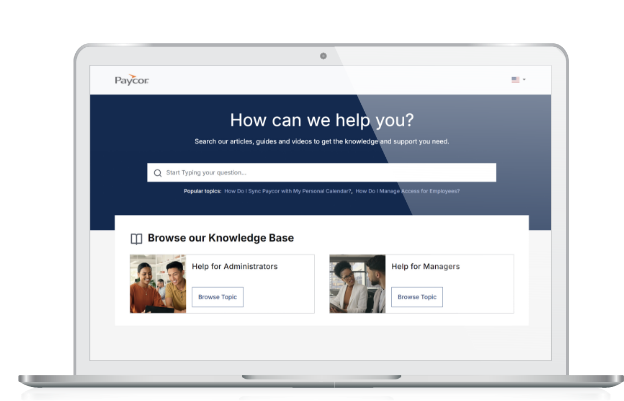
Unable to find the answers you need here? Navigate to our expanded knowledge base for additional resources for you and your employees. Most answers to your urgent requests can be found in our Get Help section.