









HR teams today face increasing pressure to operate more efficiently, ensure compliance with HR laws, and deliver a better employee experience—all while managing growing responsibilities across the organization.
That’s where HR automation comes in.
In this guide, we’ll break down what HR automation is, why it matters, and the steps you can take to optimize HR processes.
What is HR Automation?
HR automation is the use of technology—such as AI, workflow tools, and intelligent HCM systems—to automate manual, time-consuming HR tasks. These tasks may include applicant tracking, employee onboarding, payroll, benefits administration, performance management, and more.
Benefits of HR Automation
Automating HR processes can help teams deliver recognizable benefits across the organization. These include:
- Improved accuracy: Automated workflows reduce errors in payroll, reporting, and employee data.
- Faster processes: Automation accelerates approvals, onboarding, recruiting, and more.
- Better compliance: Built-in rules help organizations stay aligned with labor laws and hiring regulations.
- Enhanced employee experience: Employees enjoy faster response times and more self-service options.
- Increased visibility: Employees can access better workforce data through automated reporting and analytics.
- More strategic HR: Leaders can focus on development, culture, and workforce planning.
8 HR Processes to Automate
HR automation can streamline nearly every part of people management. Below are eight of the most valuable HR processes to automate, each with its own set of improvements for speed, accuracy, and compliance.
1. Applicant Tracking & Recruiting Workflows
Recruiting involves many repetitive tasks and complex compliance rules, from posting jobs and screening resumes to scheduling interviews and communicating with candidates. Automating these steps helps organizations move faster while maintaining structure and fairness across the hiring process. Tools like Paycor Recruiting Software and Smart Sourcing streamline posting, matching, scheduling, and communications, while AI-powered tools help identify the strongest applicants more efficiently.
2. Employee Onboarding
Onboarding involves collecting new-hire forms, assigning tasks, notifying internal teams, and ensuring employees receive the resources they need for a productive first day. Automating onboarding ensures every new hire follows the same structured experience, regardless of location or department.
3. Payroll Processing & Tax Compliance
Payroll requires precise calculations and strict tax compliance, which makes it one of the most important areas to automate in a business. The automation helps maintain accuracy in gross-to-net calculations, tax withholding, multi-state compliance, and direct deposit management. And by centralizing employee data in a single system, organizations can mitigate errors, accelerate payroll runs, and stay aligned with changing regulations.
4. Time & Attendance Management
Tracking hours, PTO accruals, overtime, and shift changes can be challenging. But when you automate timekeeping, you can improve time and attendance accuracy, reduce discrepancies, and ensure payroll runs smoothly. Digital time clocks, geofencing, shift alerts, and real-time labor insights can also help managers respond quickly and maintain compliance.
5. Employee Data & Document Management
HR manages a significant volume of employee documents, including tax forms, certifications, policies, and performance notes. Automation helps organizations maintain clean, accurate records and helps ensure documents follow proper retention rules.
6. Benefits Administration
Benefits administration involves determining employee eligibility, calculating plan comparisons, and answering employee questions. By automating benefits administration, you can simplify open enrollment, reduce paperwork, and provide employees with a clear, self-guided experience. Automated eligibility rules and digital forms help human resource teams remain compliant while reducing the administrative burden associated with manual enrollment.
7. Performance & Talent Development
Automation also brings structure and consistency to performance reviews, goal tracking, and employee career paths. Using tools like Talent Development software can help organizations automatically prompt employees and managers to complete reviews, align goals to organizational expectations, and track skill-building over time.
8. HR Reporting & Analytics
HR leaders rely heavily on data to make decisions about employee retention, labor costs, employee engagement, and workforce planning. Automation helps ensure these insights are delivered accurately and on schedule.
How to Automate HR Processes
Automating human resources requires thoughtful planning and the right technology. The following steps help organizations adopt automation in a structured and sustainable way.
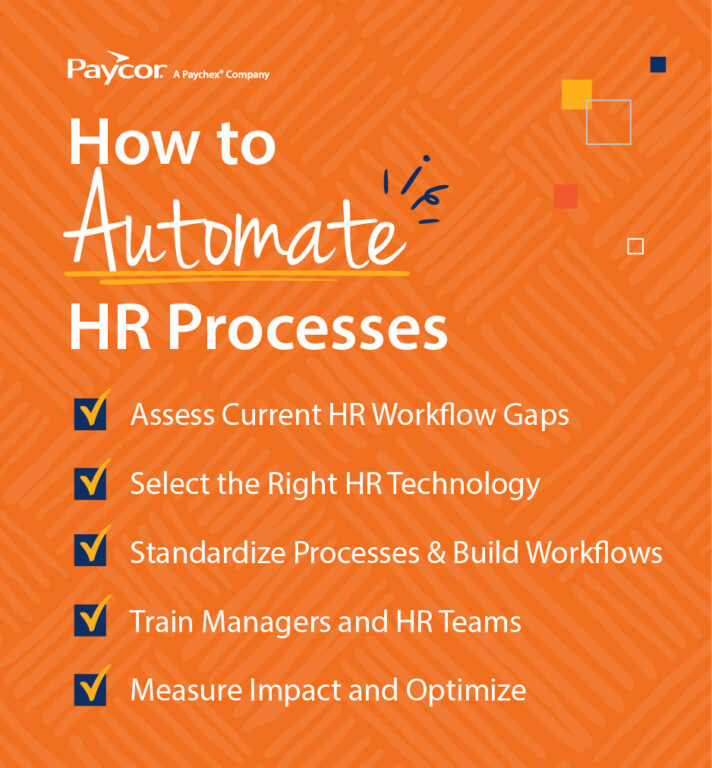
Assess Current HR Workflow Gaps
Begin by taking inventory of existing processes and identifying areas with frequent delays, manual work, or repeated errors. Consider where compliance risks may arise and take note of any tasks that cause frustration for employees or managers.
Note: An honest assessment provides a strong baseline for deciding which workflows to automate first.
Select the Right HR Technology
Once opportunities for automation are identified, the next step is selecting an HCM platform that can support integrated workflows across HR roles and functions. A solution like Paycor Intelligent HCM connects payroll, HR, recruiting, onboarding, and analytics in one place.
Standardize Processes & Build Workflows
Human resource automation works best when processes are standardized, so develop clear steps and responsibilities for each workflow. Then, document expectations for hiring, onboarding, performance reviews, and other HR tasks. With established rules in place, workflows can be automated and built with confidence.
Train Managers and HR Teams
Provide training that covers system navigation, workflow ownership, and communication expectations. Solid training encourages widespread adoption and helps reduce resistance to change by showing how you can automate processes that support—not replace—the work HR and managers do every day.
Measure Impact and Optimize
Once automation is in place, monitor key metrics like time saved, error reduction, adoption rates, and completion rates. This data helps identify what is working well and where workflows need to be refined.
Rember, automating HR takes time. It’s a long-term HR strategy that benefits from ongoing evaluation and adjustment.
Challenges of Automating HR
Organizations should anticipate the following challenges when automating their human resources processes. Here are the most common to be aware of:
- Change resistance among managers or employees
- Inconsistent or incomplete employee data
- Difficulty integrating existing systems
- Budget or resource limitations
- Lack of training or readiness for new technology
- Dependence on outdated legacy tools
- Complex regulatory requirements
- Risk of over-automation where human involvement is still needed
Best Practices for Automating HR
The following best practices help ensure automation efforts deliver long-term value and support organizational goals:
Start Small and Scale
Begin with one or two high-impact areas—like onboarding or payroll—then expand. Small wins help build momentum and support wider adoption.
Prioritize Compliance & Data Security
Ensure systems meet federal, state, and local regulations. Data security and access control should be top priorities, especially when storing sensitive employee information.
Choose Integrated Technology
Unified HR platforms reduce complexity, and integrated technology eliminates silos, reduces duplicate data entry, and helps ensure accuracy.
Maintain Human Oversight
Even the most advanced automation can’t replace human judgment, so make sure HR teams remain involved in key decisions, especially those related to hiring, performance evaluations, and employee relations.
Continuously Evaluate Performance
Review workflows regularly to ensure they remain current and effective as the business evolves. Gathering feedback from employees, managers, and HR staff helps refine workflows over time.
How Paycor Helps with HR Automation
Paycor’s connected HCM software empowers organizations to automate HR processes end-to-end. The tools that support HR automation include:
- Intelligent HCM: AI-powered insights and process automation across HR functions.
- HR Software: Automates employee data, documents, workflows, and compliance tasks.
- Analytics: Real-time workforce analytics and automated reporting.
- Expense Management: Automates expense submissions and approvals.
- Smart Sourcing: AI-powered candidate sourcing and screening.
- Recruiting Software: Applicant tracking, scheduling, and communications.
- Onboarding Software: Automates new-hire paperwork and tasks.
Automate Human Resources Tasks with Paycor
If you’re ready to eliminate manual work, reduce errors, and deliver a more consistent employee experience, Paycor can help your team automate HR from end to end. With intelligent HCM tools designed to simplify complex workflows, Paycor makes it easier for organizations to modernize their HR operations and focus on what matters most.
Take a tour today!
HR Automation FAQs
Still have questions about automating human resources? Read on!
Why is HR Automation Important?
HR automation reduces manual work, improves accuracy, strengthens compliance, and enables HR teams to focus on strategic initiatives instead of administrative tasks.
How Does Automating Human Resources Help HR Employees and Teams?
Automation simplifies scheduling, data entry, reporting, and communication making HR work faster, more reliable, and less burdensome.
What Are the Use Cases for HR Automation?
HR automation applies to recruiting, onboarding, payroll, timekeeping, benefits, performance, learning, compliance, analytics, and employee self-service.